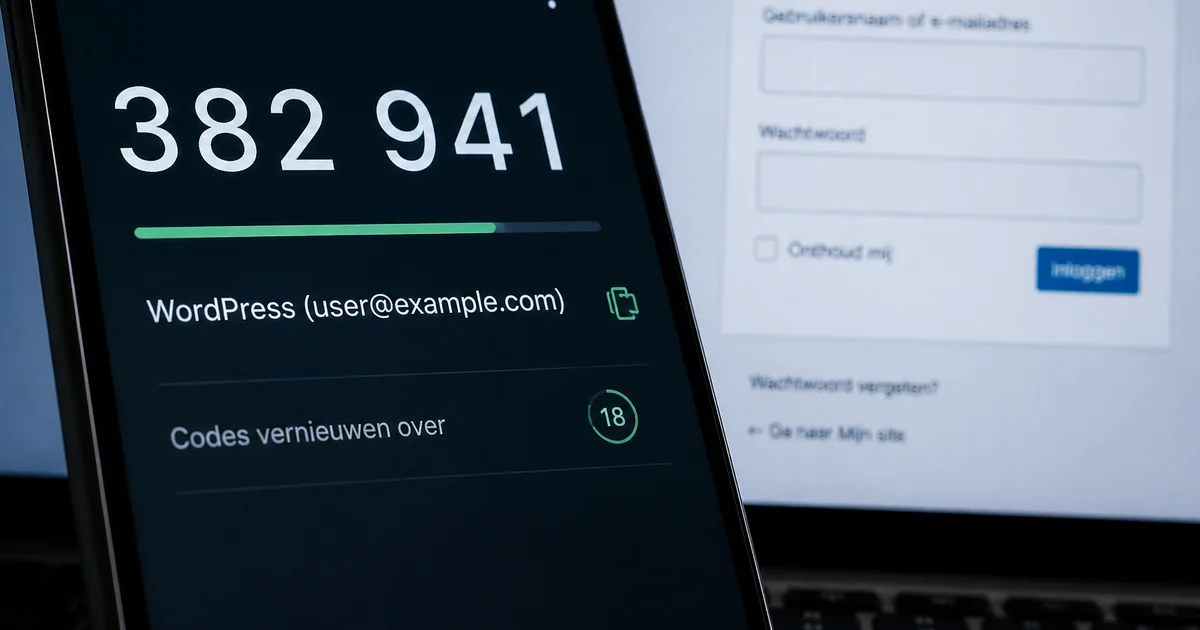
WordPress 2FA adds a second verification step to the login process: in addition to a password, a temporary code is required, generated by an app or sent via email. This means a stolen or leaked password alone is no longer enough to gain access.
With clients who come to us, it often turns out that people simply did not know two-factor authentication was available for WordPress. It was rarely a deliberate decision not to use it. The question is therefore not whether it is useful, but for which accounts it is needed and who sets it up.
What two-factor authentication does and does not do
The core of 2FA is straightforward: in addition to the password, a second step is required. That second step is something only the legitimate user has in their possession at that moment. Think of a code that changes regularly in an authenticator app, or a code sent by email. Anyone who knows the password but does not have the code cannot get in.
What 2FA does not do is equally important to understand. In our practice, an outdated plugin has been the access route in approximately 75 per cent of hacked site cases. Two-factor authentication does not protect against a vulnerability in an outdated plugin. It covers the account side, not the code side. If you want to understand the full picture, you will find it in the article on how to secure WordPress preventively.
WordPress does not have 2FA built in as standard
This is the point where things stall in practice. WordPress does not provide 2FA as standard functionality. The capability is added via a plugin, and after installation the settings apply per user. Each user configures their own second factor. This means the measure is only as strong as the weakest link in your user list.
The fact that you need to set up 2FA via a plugin is also the reason to make a considered choice before you begin. A separate article is available for choosing between available security plugins. Here we focus on the measure itself.
The method determines how reliably it works
There are two common methods: an authenticator app or codes by email. The difference between them is practically relevant.
An authenticator app generates codes on the user’s own device. No message from the website is needed to receive a code, which makes this method independent of mail handling.
Codes by email work differently. The website must be able to send that email reliably, and that is not a given. If the mail configuration is not in order, the code does not arrive or ends up in the spam folder. To the user, 2FA then appears to be broken, whilst the problem lies with the mail handling. Changes for this go through the hosting provider. That is not a shortcoming of the hosting provider, but a configuration question that often simply has not been asked yet.
The consideration upfront: an authenticator app is more stable in use but requires each user to install an app on their phone. Codes by email ask less of the user but more of the mail infrastructure behind the website.
Setting up 2FA in WordPress
Because WordPress does not have two-factor authentication built in, it is added via a plugin. In practice we work with WP 2FA, available via the official WordPress plugin directory. That is the choice that fits how we work.
After installation the setting applies per user: each user sets up their own second factor. During setup you choose between an authenticator app and codes by email — the consideration discussed above. The measure is therefore only as strong as the weakest link in the user list. As long as not every user has enabled 2FA, there remains an account without that extra step.
A fallback option should be arranged before 2FA is activated. What that entails and why it matters is covered further on in this article.
For which accounts is it relevant?
The most obvious accounts are administrator accounts. Someone with administrative access can modify the entire website, install or remove plugins, and add users. What is possible with such an account determines how heavily access should be protected.
The consideration becomes more complex with accounts used by more than one person. Shared login credentials and 2FA are difficult to combine. The same applies to accounts belonging to external parties, such as a developer or an agency with periodic access. Then it is not only a technical question but also an organisational one: who manages the second factor, and what happens when that person leaves?
A useful addition to 2FA is limiting the number of failed login attempts.
Without a fallback scenario you lock yourself out
Anyone who activates 2FA without a fallback option runs the risk of locking themselves out. That sounds like a rare situation. But it is one of the most common practical problems after enabling two-factor authentication: the phone is lost, the app has not been backed up, or the email codes are not arriving.
What recovery looks like depends on how the plugin is configured. Some solutions offer recovery codes that you can save once. If that does not work, someone with administrative access to the environment is needed to resolve the situation. That is a reason to arrange this before 2FA is switched on, not afterwards.
With us, two-factor authentication is enabled as standard for administrator accounts. How we set this up for clients is described at our WordPress support. The broader security framework, from login security to recovery after an incident, can be found in our overview of WordPress security and recovering a hacked site.
The remaining decision: for which accounts is 2FA needed, which method suits the situation of your website and your users, and who sets it up if it does not work as expected?
Frequently asked questions
Does 2FA prevent your site from being hacked? Not entirely. Two-factor authentication protects account access: a stolen password alone is not enough to get in. But not every attack comes through the login screen. There are access routes where 2FA plays no role. It covers one risk, not the whole picture.
Why is my 2FA code not arriving? If codes are sent by email, the website depends on correctly configured mail infrastructure. If that is not in order, the code ends up in the spam folder or does not arrive at all. The problem then lies not with 2FA itself but with the site’s mail handling. Changes for this go through the hosting provider. An authenticator app bypasses this issue because it does not require email.
Which plugin do you use for 2FA in WordPress? In practice we work with WP 2FA, available via the official WordPress plugin directory. That is the choice that fits how we work.
Does 2FA also apply to customer accounts in a web shop? This article concerns accounts with administrative access, because those can modify the entire website. Customer accounts in a web shop typically have more limited permissions. The consideration remains the same: what is possible with an account determines how heavily access should be protected.

About the author
Leon
Founder and WordPress Developer
Leon Katz founded WP Agency driven by his passion for WordPress and web development. With over 20 years of experience in the technical sector, he helps…
Learn more about this author →